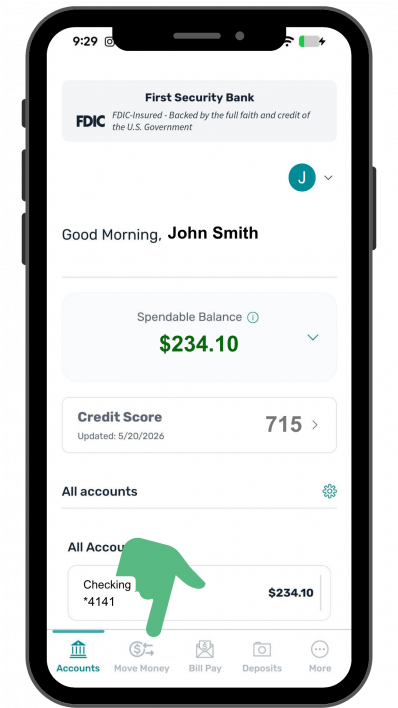
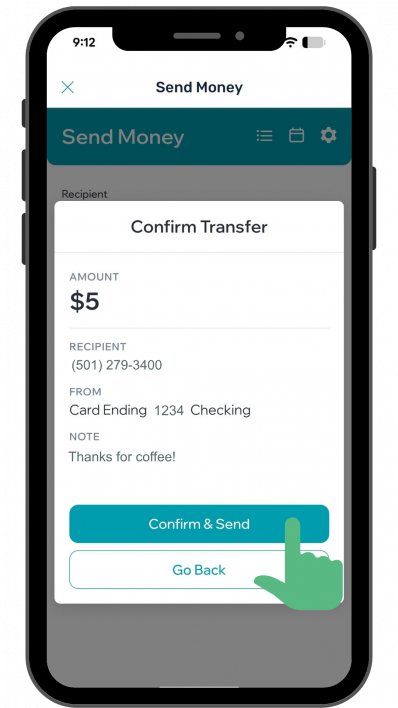
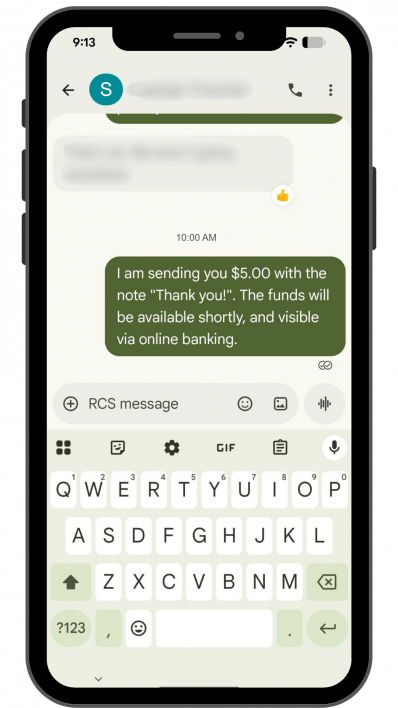
First Security Bank's Person-to-Person payment tool is a free digital banking service that lets customers send money to their friends and family through online and mobile banking!
HOW DOES PAY $end P2P WORK?
Using their First Security checking, or Mastercard debit card, customers can send funds to nearly anyone who has an account at a U.S. financial institution. A notification will be sent to the recipient immediately. The recipient may receive the funds using an eligible debit card assigned to a checking account, or through their Venmo or PayPal accounts.
HOW MUCH DOES IT COST?
$end P2P is free. This program is one of many First Security Bank online and mobile banking benefits. If the recipient chooses to receive their funds via a method other than their debit card (PayPal or Venmo), there may be fees on their end of the transaction. As a First Security Bank customer, there are no fees to send or receive funds via $end P2P.
HOW DO TO ACCESS $end P2P?
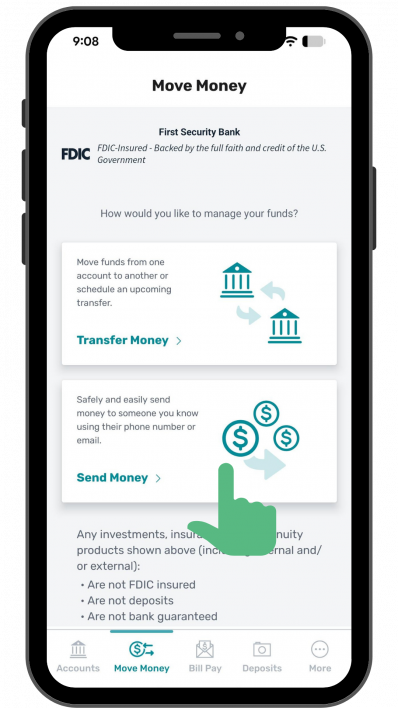
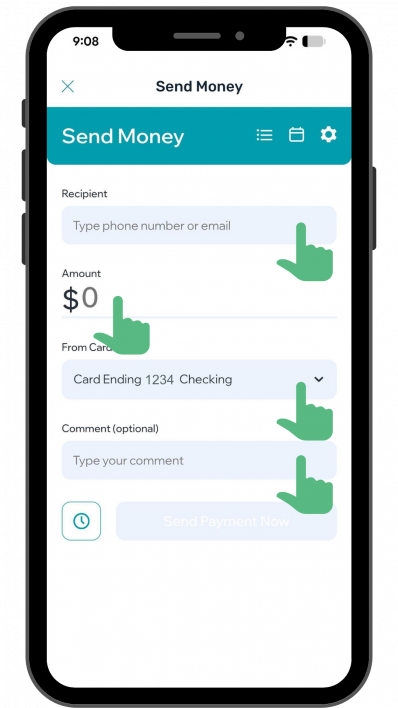
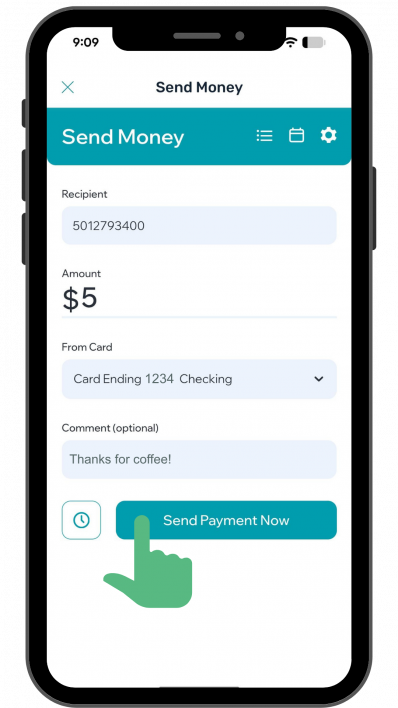
Locate the MOVE MONEY menu and then find SEND MONEY, and select the $end P2P option.
WHAT IS THE MINIMUM AND MAXIMUM AMOUNT THAT CAN BE SENT?
You can transfer funds up to 5 times per day with a minimum of $5 per transaction, and a maximum of $2,500 per transaction and a total daily limit of $2,500 per day.
WHAT CARDS CAN BE USED TO SEND MONEY?
$end P2P only allows First Security Bank debit cards assigned to the customer’s checking account to send payments. The customer’s eligible debit cards will be automatically added as payment options in the dropdown in the $end P2P menu.
WHEN ARE THE FUNDS DEBITED FROM THE CHECKING ACCOUNT?
Funds transferred from one First Security Bank account to another First Security account, or another NYCE network bank account, will transfer immediately. Funds transferred to other bank account holders will settle like a typical debit card transaction in 1-3 business days. The funds will be debited from the customer’s checking account once the recipient submits their account debit card information to receive the money.
WHO CAN RECEIVE FUNDS?
A customer can send funds to nearly anyone with an email address or a mobile phone number that receives text messages. The receiver must have a valid checking account and debit card with a U.S. financial institution.
HOW DOES THE RECIPIENT PICK UP THE FUNDS?
The recipient will receive an email or a text message with a link to pick up the funds. Next, $end P2P will prompt the recipient to enter their debit card number, expiration date, CVV and billing address to receive the funds transfer. Funds can also be received through the recipient’s PayPal or Venmo account by selecting one of those options.
CAN A TRANSFER BE CANCELED?
Yes, you can cancel a transfer through the $end P2P page before your recipient retrieves the transfer. Simply click on the transaction from the Transfer Activity section to bring up the details and then click Delete Transfer. NOTE: A First Security account holder or NYCE network recipient will receive their transfer immediately and therefore does not offer an opportunity to cancel.
WILL THE RECIPIENT BE ABLE TO SEE THE SENDER’S PERSONAL INFORMATION (ACCOUNT NUMBER, BALANCE, ETC.)?
Only the sender’s name and the brief message the customer enters will be shared with the recipient. Neither party’s account information, balance, history, etc., will be shared between the sender or the receiver. A partial masked version of the sender’s email address and/or phone number will appear in the recipient’s online banking transaction history.
HOW SOON WILL THE RECIPIENT GET THE FUNDS?
Funds transferred between First Security Bank account holders and any other bank on the NYCE network will transfer immediately. Funds transferred between banks and across other bank networks can take from 1-3 business days, which is the typical expectation for a debit card transaction.
HOW LONG DOES THE RECIPIENT HAVE TO PICK UP THE TRANSFER?
Once the sender submits the transfer, there is a 36-hour window for the receiver to click on the link and view the send details. Then the recipient has 72 hours to enter their information and receive the funds. After the transfer window expires, the sender must enter another transfer if they wish to continue the transaction. If this situation occurs, the sender will see an ‘expired’ message in their transaction history for the transaction. First Security Bank account holders (send & receiver) and NYCE network recipients occur immediately once the recipient’s information has been entered.
WHY WOULD THE RECIPIENT RECEIVE AN ERROR MESSAGE THAT THEIR DEBIT CARD IS INELIGIBLE TO RECEIVE FUNDS?
Some financial institutions do not allow their debit cards to receive person-to-person transfers. If a recipient encounters this error, they may choose PayPal or Venmo as options.
CAN DEBIT CARD TYPES OR PURCHASING LIMITATIONS EFFECT $end P2P SERVICE?
The maximum amount a customer can send at one time is $2,500 unless otherwise limited by their own debit card purchasing limit settings. More restrictive limits may be temporarily imposed for security purposes. In many cases, if the receiver is using a qualifying debit card, the funds will be accepted on the same business day. However, if the receiver does not have a qualifying debit card and uses their checking account number, the funds may take 5-7 business days to arrive.
WHAT HAPPENS IF THE CUSTOMER’S DEBIT CARD IS REPLACED DUE TO A LOST/STOLEN CARD FRAUD?
The new debit card will automatically be available in $end P2P the next business day after a new debit card is activated.
TRANSFER RECIPIENT OPTIONS:
Recipients can choose one of three options once a transfer has been sent to them via text or email:
-
Debit Card – enter their debit card information to receive funds transfer directly to their checking account. First Security Bank to First Security Bank transfers (both sender and receiver account holders bank with First Security) and NYCE network banks are immediate transfers. Cross bank funds transfers (between banks and across other bank networks) can take from 1-3 business days, which is the typical expectation for a debit card transaction.
-
PayPal – when recipient chooses PayPal as their receiving option, they are presented with the login screen to access their PayPal account and can then choose the options available to them through their PayPal account.
-
Venmo – when recipient chooses Venmo as their receiving option, they are presented with the login screen to access their Venmo account and can then choose the options available to them through their Venmo account.
It is important to note there may be delays and/or fees associated with transfers in PayPal and Venmo accounts.
VIEW THE COMPLETE DISCLOSURE AND TERMS & CONDITIONS
Please visit www.fsbank.com/disclosure.